See who's flooding your inbox — then clean it up in minutes
Trash hundreds of emails from your worst senders at once. Select who to clean up, free up Google storage, and reclaim your inbox in minutes.
We only read email metadata (sender, date, subject) — never your email content.
Tired of inbox chaos?
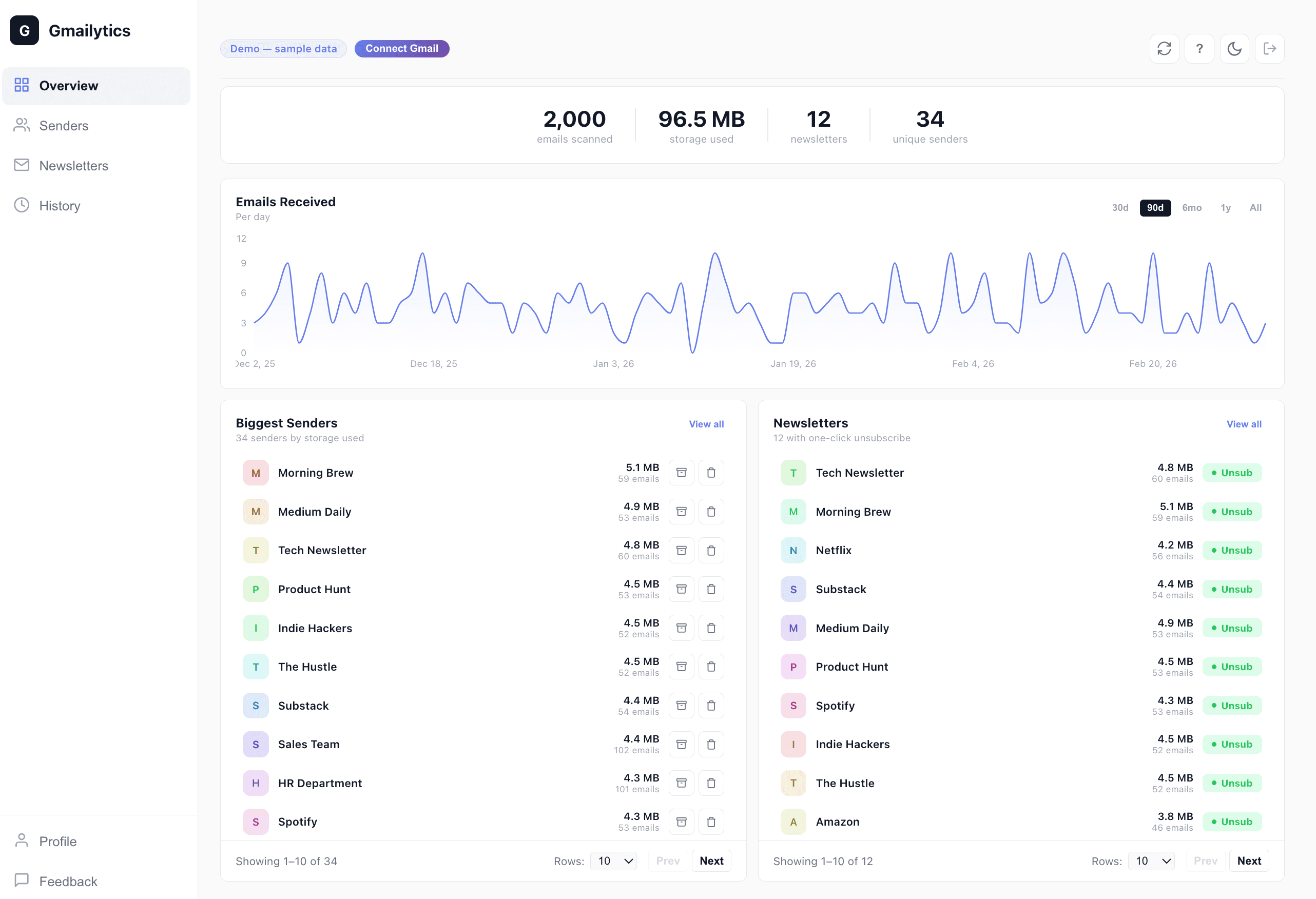
Most people have thousands of emails from senders they no longer care about. Gmail doesn't show you the patterns—who emails you most, which senders pile up, or how much storage they waste. Gmailytics does.
What Gmailytics shows you
One-Click Cleanup
Select any sender and trash all their emails at once. Clean up hundreds of emails per sender with a single click.
Free Up Storage
See who's taking up the most space. Trash thousands of emails at once and reclaim your Google storage. Stop paying for space wasted on junk.
Email Volume Analytics
Daily email trends and top senders ranked by volume. Understand your inbox patterns and take back control.
Perfect for Gmail users who want to
Batch delete by sender
See your biggest senders ranked by email count and storage used. Select multiple and trash thousands of emails at once.
Track email patterns
Understand your Gmail analytics: when you get the most emails, who sends them, and how your inbox has changed over time.
Identify inbox clutter
See which senders fill up your Gmail the most. Filter and delete bulk emails from specific senders easily.
Frequently asked questions
Is Gmailytics free?
Yes, Gmailytics is free during our beta period. We'll announce pricing before the beta ends.
Can Gmailytics read my emails?
No. Gmailytics only accesses email metadata (sender, subject, date, labels). We never read or store your actual email content.
How do I clean up my inbox?
Gmailytics scans your inbox and ranks senders by email count and storage used. Select the senders you want to clean up, then batch trash or archive all their emails at once.
What Gmail analytics does Gmailytics show?
You'll see daily email volume trends, top senders ranked by frequency and storage used, and automatic categorization (primary, promotions, social). Quickly spot who's filling your inbox.
Ready to clean up your inbox?
Sign up for product updates and early access.